
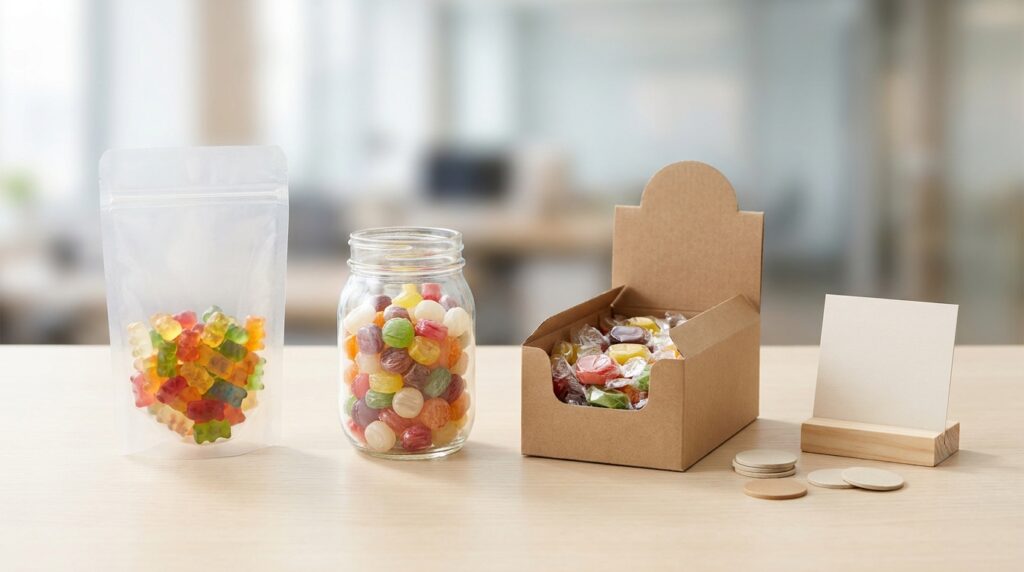
Many candy catalogs are useful for product discovery but weak for actual buying decisions. Buyers can see dozens of SKUs, pack styles, and flavor ideas, then still fail to move toward one real quotation because the shortlist is too broad. A supplier cannot price a "catalog interest" the same way they can price one container-ready scenario.
This guide is for importers, distributors, and private-label teams that want to convert catalog browsing into a focused shortlist. The right outcome is not "more options." The right outcome is three or fewer directions that fit one market route and can be quoted in one commercial frame.
Latest market insight
- Prioritize halal-certified gummies/pectin-based SKUs for Middle East/Asia growth; gelatin supply tightens due to religious regs.
- Filter catalog for EU PPWR-compliant recyclable/sustainable packaging (applies Aug 2026) to avoid import blocks and gain moat.
- Shortlist private-label/private-label-capable SKUs with custom/functional options; 92% B2B buyers plan +21% volume increases for margins.
Start with one buying case, not the whole catalog
The shortlist should begin with one real market case. That may be a supermarket jar line, a low-price wholesale pouch program, a display-box counter line, or a private-label launch test. Without that frame, buyers end up mixing stock candy, promotional items, and custom packs in the same request.
Before narrowing the catalog, define:
- destination market
- target channel
- approximate price band
- preferred candy formats
- whether the project is stock-style or private label
That turns the catalog from a browsing tool into a commercial filter.
Build the shortlist around pack route and carton logic
Container-ready does not mean filling a container immediately. It means the shortlisted items can be discussed under one realistic shipping and packaging logic. Buyers should group SKUs that can reasonably share carton handling, channel position, and quote assumptions.
For example, a shortlist becomes easier to quote when each item already has:
- a known pack route such as pouch, jar, or display box
- a workable fill-weight or piece-count direction
- a similar retail role or channel purpose
- a rough MOQ band that the buyer can accept
If one item belongs to a convenience-store grab line and another belongs to a premium private-label gift pack, they may not belong in the same first shortlist.
Ask for one response format across all shortlisted items
Buyers often lose momentum because the supplier responds with mixed information: one item has MOQ only, another has FOB only, another has no carton data, and another is described as "can be discussed." That reply is hard to compare internally.
The better request is to ask for one consistent response format for each shortlisted item. That can include pack route, MOQ, price basis, carton loading, lead-time view, and any open assumption. One clean format lets the buyer compare the three directions side by side.
Tell the supplier what must stay inside one container-ready scenario
The supplier also needs to know what "container-ready" means in the buyer’s case. Some buyers mean one price family for a test order. Others mean a shortlist that can grow into mixed loading after samples. Others mean a near-final buying decision for one destination market.
State that clearly. Then add any non-negotiables such as halal scope, label language, destination documents, or target launch window. Those items help the supplier reject weak options early instead of decorating the shortlist with SKUs that will fail later.
Quick checklist for a container-ready candy shortlist
| Shortlist field | What to lock | Why it matters |
|---|---|---|
| Market case | Destination, channel, and target consumer price level | Keeps all shortlisted items inside one commercial use case |
| Product set | Up to three SKUs or candy directions | Prevents the supplier from replying with another broad catalog |
| Pack route | Pouch, jar, display box, or bulk route for each item | Makes carton and MOQ logic clearer |
| Quote format | MOQ, price basis, carton data, and lead-time view per item | Gives the buyer comparable supplier answers |
| Constraints | Halal/compliance needs, launch window, and private-label scope | Filters out SKUs that cannot progress to order stage |
Related KidStar pages
- Review product families on Product Catalog.
- Compare custom pack routes on Packaging Customization.
- Check MOQ and timing basics on MOQ and Lead Time.
- For documentation questions, visit Certifications and Compliance.
Send a shortlist the supplier can actually quote
If you want KidStar to help turn a broad catalog into a quote-ready shortlist, send the target market, preferred candy types, pack route, price level, and the three candidate directions through Contact. The team can narrow the list into a cleaner first quote path.