Skip to content

Wholesale Confectionery Range

Confectionery Product Range for Importers

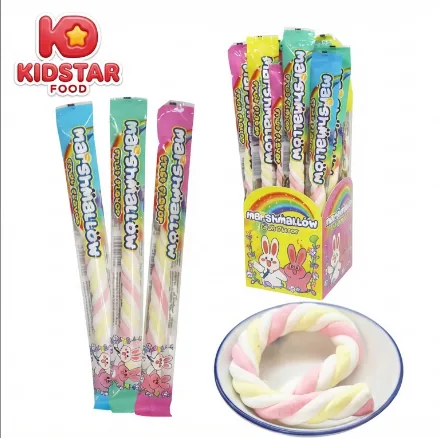
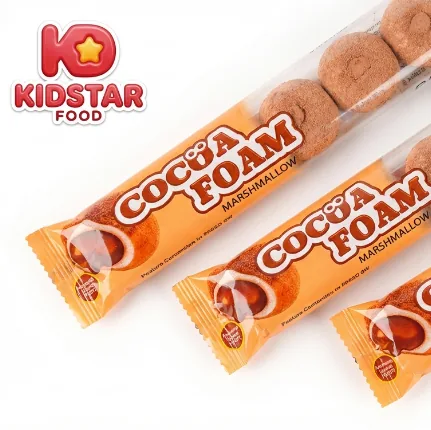
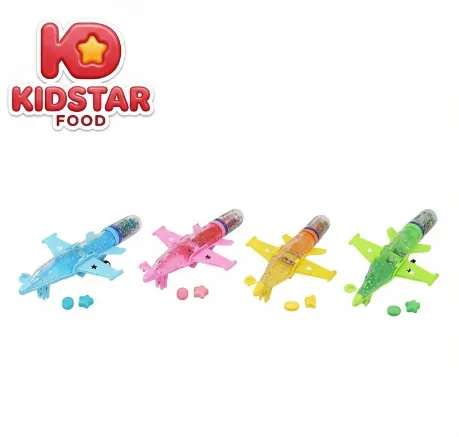
Compare live KidStar product visuals across gummies, lollipops, novelty candy, chocolate, and mixed formats. Narrow the product family and pack direction first, then share the selected SKU references, destination market, quantity context, and approval stage for review.

Product familyPack directionDestination marketApproval stage
KidStar Dino KBOOM product packaging

Product Routes

Start with a live product reference, then define the buying brief

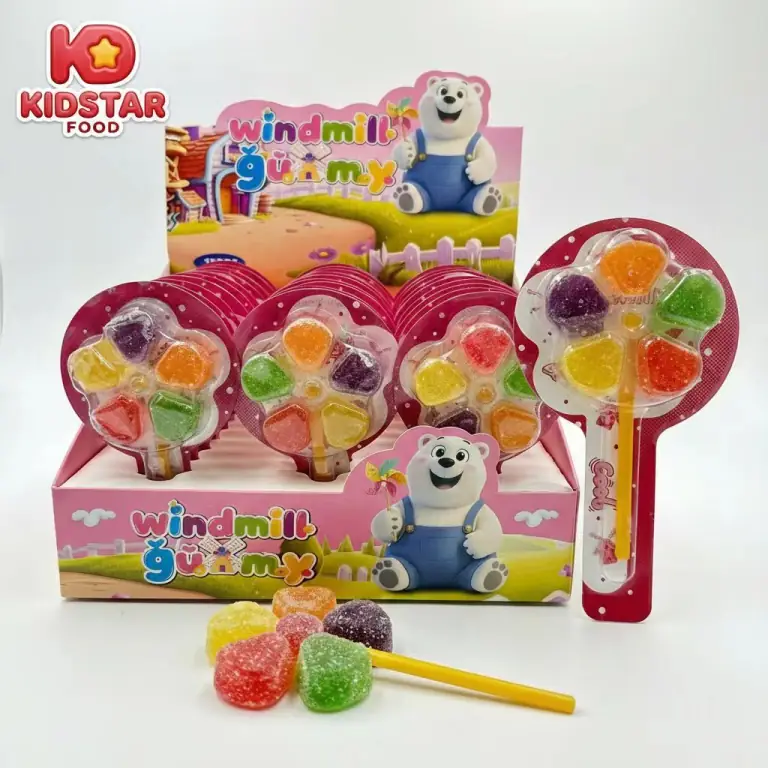
KidStar gummy formats

Product Family

Gummy Formats

Use the live product directory to compare gummy visuals before discussing texture, finish, assortment, or private-label changes.

  • Reference SKU or product image
  • Texture and finish direction
  • Target pack type and shelf channel
  • Destination market and quantity context
KidStar hard candy and lollipop formats

Product Family

Hard Candy & Lollipops

Compare hard candy and lollipop references by unit format, presentation, and channel before requesting commercial confirmation.

  • Reference SKU and flavor direction
  • Unit presentation and assortment
  • Retail, wholesale, or promotional channel
  • Pack route and target launch window
KidStar novelty and mixed confectionery product route

Product Family

Novelty, Chocolate & Mixed Formats

Use visual references to narrow novelty, chocolate, mixed-pack, gift, or display-led directions before discussing development.

  • Reference SKU or target assortment
  • Gift, seasonal, or impulse channel
  • Display and outer-pack direction
  • Approval purpose and launch context

Packaging Solutions

Match the pack format to the channel before quoting

Bulk Cartons

For repack or wholesale discussions, share the product reference, inner-protection needs, outer-carton direction, and destination.

Pillow Packs

For individually presented products, define the unit reference, count, retail bag direction, and shelf-channel requirements.

Stand-Up Pouch

For pouch-led programs, share the target product, fill direction, closure or window preference, artwork scope, and destination.

Jars & Tubs

For jar or tub directions, confirm the product, intended count or fill, closure expectation, label scope, and shelf channel.

Commercial Review Inputs

MOQ and timing follow the chosen product and pack brief

Product Status

State whether the request starts from a live SKU, a close reference, or a new development discussion.

Pack Complexity

Share the unit pack, secondary display, artwork, barcode, and outer-carton expectations that need review.

Assortment Scope

Confirm the number of products, flavors, pack variations, and whether the program is single-SKU or mixed.

Destination & Approval

Provide the destination market, document checklist, approval owner, and target launch context.

Category Route Matrix

Map category, channel, and pack route in one view

Gummies and Jellies

Mainstream retail and private-label volume

  • Best-fit channels: supermarket, convenience, chain retail, and brand refresh programs.
  • Typical pack routes: pouch / bag, jar, mixed retail bag, and shelf-ready assortment pack.
  • What to lock before quote: target market, texture direction, and target pack size.

Hard Candy and Pressed Candy

Stable repeat volume with simpler planning

  • Best-fit channels: wholesale, general trade, supermarket value lines, and repeat-order programs.
  • Typical pack routes: pillow bag, pouch, jar, and carton-led bulk supply.
  • What to lock before quote: flavor mix, weight per unit, and whether the route is stock or OEM.

Lollipops and Novelty Candy

Promotional shelves and more visual assortment building

  • Best-fit channels: promotional programs, seasonal displays, gift channels, and impulse-led retail.
  • Typical pack routes: display-ready box, novelty card, tube, blister, and mixed promotional set.
  • What to lock before quote: shelf format, display expectation, and the target launch window.

Chocolate, Mixed Packs, and Gift Routes

Broader assortment programs for gift / seasonal and retail expansion

  • Best-fit channels: gift / seasonal retail, modern trade, and mixed-category import portfolios.
  • Typical pack routes: box, gift-ready assortment, display carton, and mixed retail bundle.
  • What to lock before quote: destination market, assortment contents, and carton or pallet expectations.

Packaging Formats

Packaging is often the real pricing variable

KidStar pouch or bag confectionery format

Pouch and Bag

Useful for supermarket, convenience, and general-trade programs that need flexible size and easier assortment planning.

KidStar jar or bottle confectionery format

Jar and Bottle

For retail programs that need stronger shelf identity, resealable formats, or clearer presentation value.

KidStar box or display-ready confectionery format

Box and Display-Ready

For promotional shelves, mixed contents, or secondary placement where display impact matters.

Buyer-Fit Scenarios

Three commercial scenarios this page should support

Import Distribution

For buyers building a stable confectionery line and comparing manufacturing capability, not just sample wording.

Retail Assortment Expansion

For distributors and category teams adding new candy formats, promotional lines, or more visual retail programs.

Private Label Launch

For teams that already need OEM/ODM, pack adaptation, label review, and structured RFQ follow-up.

FAQ

Commercial questions this page should answer directly

Can you support both stock and OEM/ODM routes?

Identify whether you need a live SKU, a private-label adaptation, or a new development discussion. The export desk can then confirm which route is available for the selected product and market.

What affects MOQ the most?

Product type, customization, and packaging route matter most. That is why MOQ guidance is clearer when category and pack format are already defined.

How are document requirements reviewed?

Send the destination market, buyer checklist, product reference, and pack route. Relevant documents can then be checked for scope, availability, and validity against that specific project.

What should I send first if I want a useful quote?

Send market, channel, product category, pack type, target quantity, launch timing, and whether you need stock supply or OEM/ODM.

Next Step

Request the catalog, ask for samples, or send an RFQ once the procurement brief is clear.

Procurement Resources

Choose the next buyer step before the RFQ.

Shortlist the right support page first: samples for approval, MOQ for planning, or compliance for buyer review. It keeps the first inquiry sharper and easier to answer.

01

Samples

Use this when the category and pack route are already close enough to test.

Open Samples
02

MOQ & Lead Time

Use this when you need realistic ranges before asking for a final number.

Open MOQ & Lead Time
03

Certifications & Compliance

Use this when your buyer needs trust proof before supplier shortlisting.

Open Compliance

KidStar Export Desk

Start your inquiry.

Open the buying brief when you are ready.