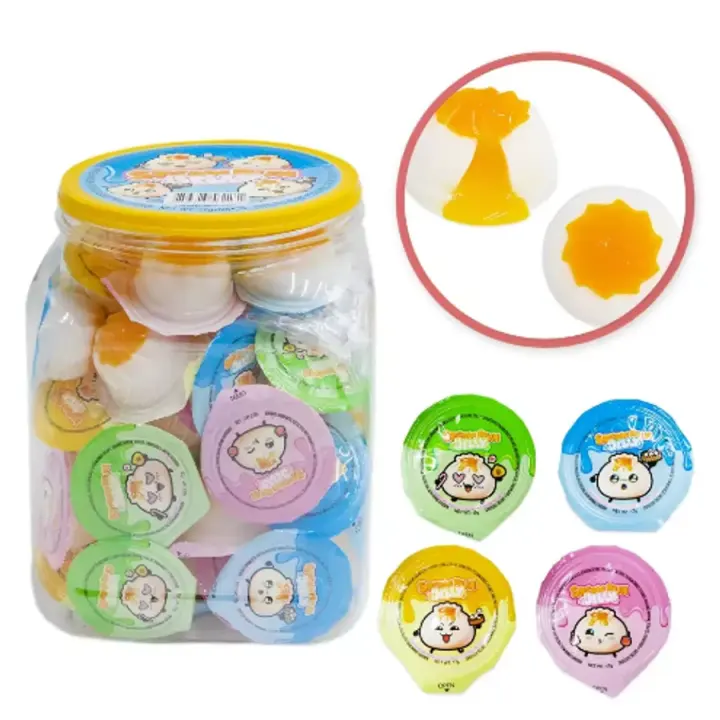
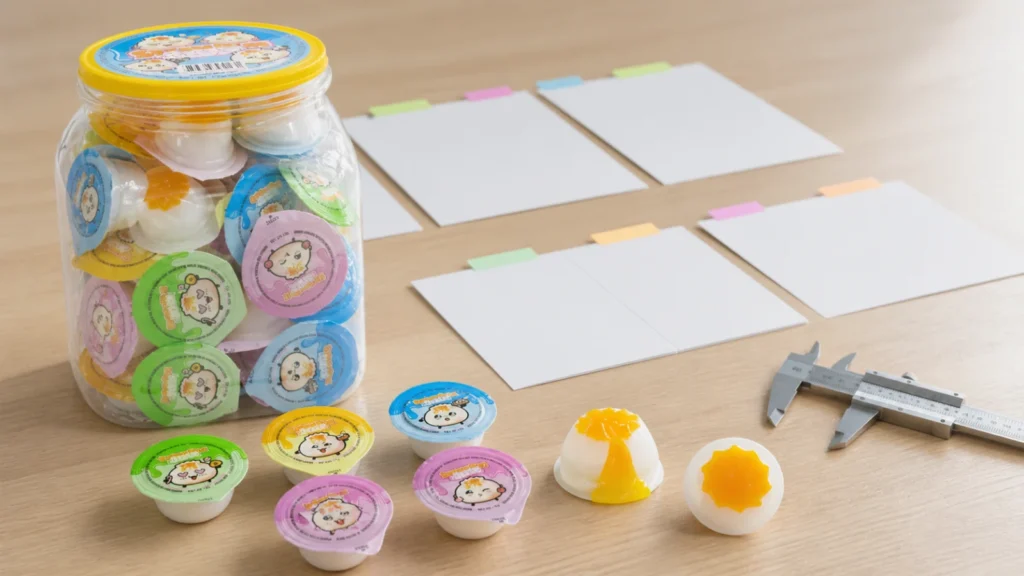
A candy sample comparison sheet should identify the exact sample round, the documents used for comparison, every pass or difference, the approval status, and the next action. For KidStar SKU YMX-153 Filled Jelly, the baseline starts with 17 g per unit, 60 pieces per jar, and 12 jars per carton. If any of those fields—or the product, color/flavor mix, cup, lid, jar, label, or carton—changes, the buyer should record a new revision instead of saying only “sample OK.”
The direct answer is to compare one identified YMX-153 sample against one identified quotation, specification, product image, and packaging version. Approve the product, pack, and commercial route separately; an approved taste or appearance does not automatically approve artwork, labels, carton data, documents, or production.
Give every sample round an identity
Real buyer follow-up data shows why this matters: the current KidStar queue includes 17 sample/specification confirmation cases, alongside larger groups stalled after quotation or incomplete requirements. That count is an internal workflow signal, not a market statistic. It suggests that sample feedback often needs a clearer path back into the buying file.
A useful sample ID can be simple:
`YMX-153 / Sample V2 / received 24 Aug 2026 / stock pack review`
Put the same ID on the comparison sheet, photos, issue log, and email subject. Avoid labels such as “latest sample,” “new jar,” or “approved one.” Those phrases become ambiguous as soon as another photo, flavor, label file, or physical unit arrives.
Record these identity fields before opening the sample:
- KidStar SKU and live product URL
- sample ID and revision
- sample type: stock, revised, packaging, or other clearly named stage
- request, dispatch, and receipt dates if available
- quotation version and date
- specification or pack record used for comparison
- product-image or artwork file version
- destination and intended outlet
- reviewer and approval scope
Compare product, pack, and route separately
A single “pass” column is too broad for candy. Split the review into three layers.
| Review layer | YMX-153 fields to compare | What approval means |
|---|---|---|
| Product | filled-jelly identity, unit weight, visible product form, agreed sensory review fields | The sampled product is acceptable within the stated scope |
| Pack | individual cup, lid, 60-piece jar, label or artwork state, 12-jar carton route | The reviewed packaging version is acceptable or has named open points |
| Commercial route | stock or custom version, quantity direction, destination, trade term, quote version | The supplier can prepare the next commercial response without guessing |
This separation prevents a common mistake: the buyer likes the jelly but has not reviewed the jar count or market-facing pack, while the supplier reads “approved” as permission to move the whole route forward.
The packaging-before-sample-approval guide covers the wider packaging questions. The comparison sheet adds revision control: it shows which version passed, which version failed, and what changed between them.
Use one row for every decision field
The sheet should make differences visible without a long message thread.
| Field | Baseline | Sample result | Status | Required action |
|---|---|---|---|---|
| SKU | YMX-153 | Record what arrived | Pass / differ / open | Correct identity before further review |
| Unit weight | 17 g | Record sample or pack statement | Pass / differ / open | Reconfirm specification and quote |
| Jar count | 60 pieces | Count or mark unverified | Pass / differ / open | Confirm the intended sales unit |
| Carton route | 12 jars | Match current commercial file | Pass / differ / open | Update quote basis if changed |
| Product version | Filled Jelly stock reference | Describe exact variant | Pass / differ / open | Name approved variant or request revision |
| Primary packaging | Individual cup and lid | Photograph and describe | Pass / differ / open | List the precise correction |
| Jar presentation | Current first-party image | Compare consistent-angle photos | Pass / differ / open | Approve, revise, or hold |
| Artwork or label | Named file/version or temporary pack | Record what is actually present | Pass / differ / open | Keep temporary elements unapproved |
| Quote link | Named quotation/date | Confirm same pack hierarchy | Pass / differ / open | Requote only after fields align |
Use observable wording. “Make it nicer” is not an action. “Use Sample V2 jar presentation; keep 60-piece count; label artwork remains open” is traceable.
Keep images and mock-ups in the correct role
GS1’s Product Image Specification distinguishes product/display image roles and describes sample or mock-up images as B2B communication assets for conceptualizing a product during ordering. That is useful discipline for sample files: label a mock-up as a mock-up and do not let it silently replace the physical sample or final product image.
For YMX-153, keep at least these views together when practical:
- full jar and lid
- several individual units showing the visible variants
- one unit opened only when the review requires it
- label or temporary-pack state
- carton or pack hierarchy evidence when available
- the sample ID visible in at least one control photo
Photos help teams compare revisions, but they do not prove taste, texture, fill, seal performance, shelf life, compliance, or production consistency. Record which points require a physical review, document, test, or later inspection rather than converting a photo into unsupported approval.
Choose an explicit approval status
End the sheet with one of four practical states:
1. Approved for the stated scope — name exactly what the approval covers. 2. Approved with named open items — use only when the remaining items and required evidence are clear. 3. Revision required — list each change, owner, and whether a new physical sample is needed. 4. Rejected or held — state the reason and the decision needed before work resumes.
A July 2026 overseas-buyer sample checklist from Kelsy Sourcing similarly recommends identifying the sample version, freezing the comparison documents, recording differences, choosing a status, and preserving an approved reference. That is external workflow guidance, not evidence of KidStar factory capability or a promise that production will match a sample.
Send a clean revision note
A buyer can summarize the sheet in a short message:
> We reviewed YMX-153 Sample V2 against quotation Q2 and the 17 g × 60 pieces × 12 jars route. Product appearance passed for this review. Jar presentation passed. Label artwork and carton mark remain open. Please confirm whether these open items change the quotation or require another packed sample before the next approval.
This note states the approved scope and exposes the unresolved commercial effect. It is stronger than sending scattered photos with “OK except packaging.”
Use the KidStar samples page to frame the sample stage, and keep the private-label checklist separate when the project moves from a stock reference to custom artwork or market-specific packaging.
Candy sample comparison checklist
Before closing a sample round, confirm:
- [ ] the exact SKU and product link are recorded
- [ ] the sample has a unique ID and revision
- [ ] the quotation and specification versions are named
- [ ] product, pack, and commercial-route approvals are separated
- [ ] 17 g, 60 pieces, and 12 jars are confirmed or marked open
- [ ] every difference has a photo or clear written description
- [ ] temporary packaging and mock-ups remain labeled as temporary
- [ ] the status is approved, conditional, revise, or hold
- [ ] open items have an owner and required evidence
- [ ] the supplier is asked whether any change affects price, pack, quantity, or timing
- [ ] the approval record states what it does not cover
Sources reviewed
- KidStar YMX-153 Filled Jelly product record — first-party SKU, product image, and pack hierarchy reviewed 24 August 2026.
- GS1 Product Image Specification Standard — official product/display image and sample/mock-up reference reviewed 24 August 2026.
- Sample Approval Checklist for Overseas Buyers — current third-party workflow dated 13 July 2026 and reviewed 24 August 2026; used for process comparison, not KidStar capability claims.
If you want KidStar to compare one YMX-153 sample against one controlled pack and quote route, send the sample ID, destination, photos, current quotation, and open decisions through the contact page.