A candy barcode proof approval should lock the exact SKU and packaging level, GTIN owner, encoded number, human-readable digits, symbol type, size, quiet zones, color/placement, and verification evidence before mass printing. For KidStar SKU YMX-177 Bubble Gum, the current 9 g × 30 pieces × 24 display boxes route shows why a consumer unit, display box, and shipping carton cannot share an undefined barcode instruction.
The direct answer is to approve a data record, artwork proof, and verified physical output as one controlled set. A barcode that looks correct in a PDF can still encode the wrong GTIN, belong to another pack level, lose its quiet zone, or fail after printing on the final material.
Define the trade item before creating artwork
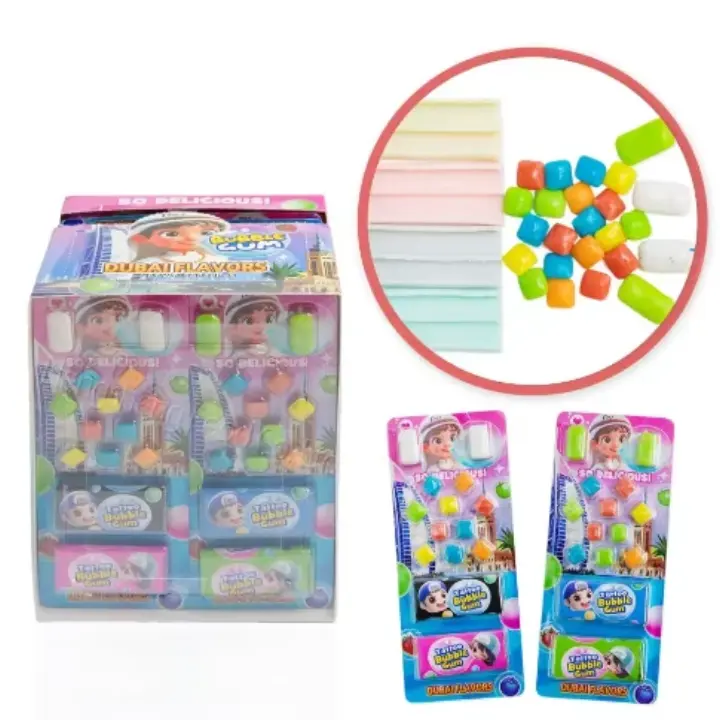
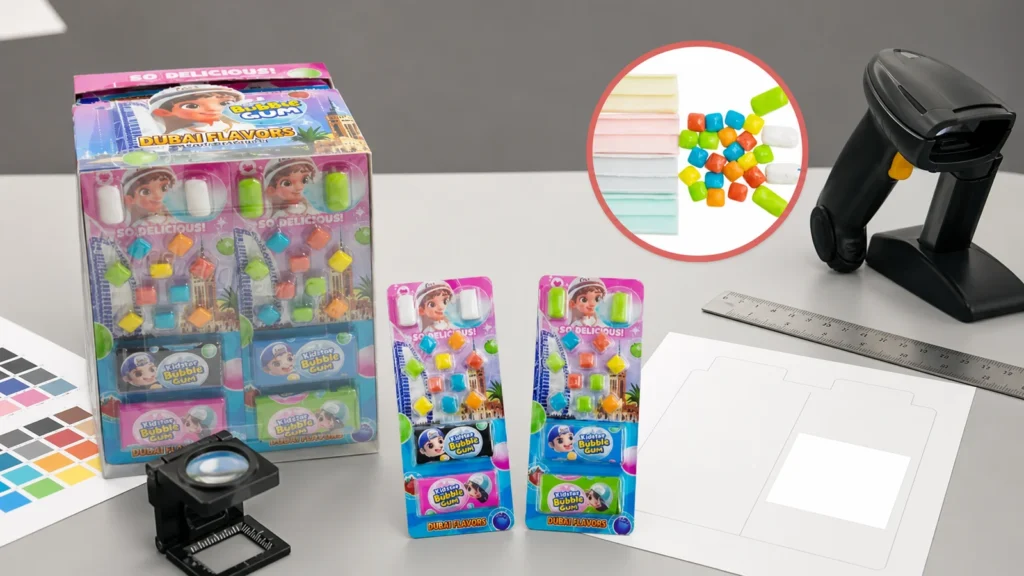
Start with the exact item a trading partner will order, receive, stock, or scan. The YMX-177 product image shows blister-packed bubble-gum units in a display format, but it does not establish final GTIN ownership, retailer data, barcode type, artwork, or destination approval.
Build a packaging-level map:
| Level | YMX-177 reference | Identification question | Buyer evidence |
|---|---|---|---|
| Consumer unit | 9 g listed unit | Is this independently sold and scanned? | Approved product record |
| Display box | 30 pieces | Is the display a separate orderable trade item? | Buyer listing requirement |
| Shipping carton | 24 display boxes | Which logistics identifier and symbol does the receiver require? | Warehouse/customer specification |
| Customized version | Changed count, language, brand, or pack | Does the change require a new identification decision? | GTIN allocation review |
Do not copy the same number onto every level. The brand owner or responsible identifier holder should allocate numbers under the applicable GS1 rules and trading-partner requirements.
Lock nine inputs in the barcode brief
Use one table shared by buyer, artwork team, printer, and supplier.
1. Exact SKU and version: product, flavor or assortment, unit weight, pack count, and artwork ID. 2. Packaging level: consumer unit, display, case, or another defined trade item. 3. GTIN owner: organization responsible for the number and its product master data. 4. Encoded data: exact digits and check digit supplied from the controlled source. 5. Human-readable text: digits printed below or beside the symbol, matched to encoded data. 6. Symbol and scanner environment: retail point of sale, distribution, or buyer-specified route. 7. Size and quiet zones: barcode generated at the required dimensions with clear margins preserved. 8. Color, placement, and substrate: bar/background contrast, panel, orientation, seam/curve/finish risks. 9. Verification plan: digital data check, print-proof review, final-pack verification, report owner, and release status.
If any field is missing, mark the proof `hold`. A screenshot pasted into artwork is not a controlled barcode asset.
Protect quiet zones, contrast, and proportions
GS1 US explains that barcodes need high-resolution artwork and printing, dark bars on a light background, adequate clear space on the left and right, suitable placement, and the correct height-to-width relationship. It advises against truncating the bars or simply stretching or shrinking barcode art.
Translate that into an artwork checklist:
- keep text, borders, patterns, folds, seams, and cut lines out of the quiet zones
- use a tested dark-bar/light-background combination
- avoid placing the symbol where a curved surface hides its edges
- avoid closures, blister edges, perforations, or heavy distortion
- preserve the generated proportions
- record actual printed dimensions rather than judging by screen appearance
- check whether varnish, film, foil, or transparency changes scan behavior
Do not turn these points into a universal dimension claim. The exact symbol, scanner environment, package, and printing method determine the applicable specification.
Verify data before debating visual placement
A perfectly printed barcode can still identify the wrong trade item. Check the data source first:
| Data check | Pass condition | Common failure |
|---|---|---|
| SKU/version | Matches approved YMX-177 record | Old artwork reused |
| Packaging level | Defined and agreed by buyer | Unit and case confused |
| GTIN source | Controlled owner record | Number copied from image |
| Check digit | Validated in the source system | Manual typing error |
| Human-readable digits | Match encoded data | Artwork text changed only |
| Trading-partner data | Product name, count, weight, and status aligned | Barcode scans to stale listing |
The carton marks and shipping-label guide can coordinate outer-case information, but carton marks are not a substitute for trade-item identification.
Use verification, not an ordinary phone scan
GS1’s barcode-verification guideline says verification addresses print quality and encoded-data integrity under the relevant GS1 and ISO framework. GS1 Canada describes testing print proofs, labels, or finished products for placement, magnification, quiet zones, human-readable agreement, GTIN ownership, and scan-quality characteristics.
A phone or checkout scanner can provide a useful functional check, but a successful single scan is not equivalent to barcode verification. Create three release stages:
1. Data check: confirm the trade item, owner record, number, symbol, and human-readable digits. 2. Print-proof check: test the final-size proof or label with a qualified verification route before wide production. 3. Finished-pack check: verify the symbol after actual printing, application, film, curvature, and packing.
Retain the report, sample ID, artwork ID, date, equipment or service, result, and corrective action. A later artwork or material change should trigger a defined recheck.
Control artwork revisions across every pack level
Barcode failures often reappear when a designer moves the symbol, a printer changes scale, a label is applied to a new curve, or a buyer changes case count without reopening master data.
Use the packaging artwork checklist to record revision ownership. Use the packaging customization route only after the barcode brief names the exact consumer and case versions.
For each revision, issue a short change note:
- what changed
- which packaging levels are affected
- whether the GTIN decision was reviewed
- whether barcode art was regenerated or moved
- whether proof and finished-pack verification must repeat
- who can release the new version
“Artwork approved” should never silently mean “barcode approved.” Keep both statuses visible.
Add the proof to the RFQ and purchase file
The quote needs enough information to price the correct pack, but the final number assignment and barcode proof may remain buyer-controlled. Separate commercial inputs from controlled identifier assets.
Before production release, the file should contain the product specification, 9 g × 30 × 24 pack hierarchy, artwork version, GTIN source record, barcode asset, verification result, approved physical sample, carton-mark instruction, and destination/customer requirements.
Send one barcode-ready YMX-177 brief
For YMX-177, send the destination, sales channel, unit and case definitions, artwork route, intended scanner environment, buyer-assigned GTIN data, verification requirement, quantity direction, and open printing questions through the contact page.
KidStar can then respond against a controlled bubble-gum pack instead of guessing which number belongs on which level.
Sources reviewed
- KidStar YMX-177 Bubble Gum product record, reviewed August 29, 2026.
- GS1: Barcode Verification Process Implementation Guidelines, reviewed August 29, 2026.
- GS1 US: Barcode Placement and Printing Guidelines, reviewed August 29, 2026.
- GS1 Canada: Barcode Scan Verification, reviewed August 29, 2026.