Candy RFQ change control means recording every approved change to the SKU, product version, net content, assortment, pack count, artwork, quantity, and delivery basis before a supplier updates the quote. Without that record, buyers often compare a revised offer with an older specification and mistake a scope change for a price change.
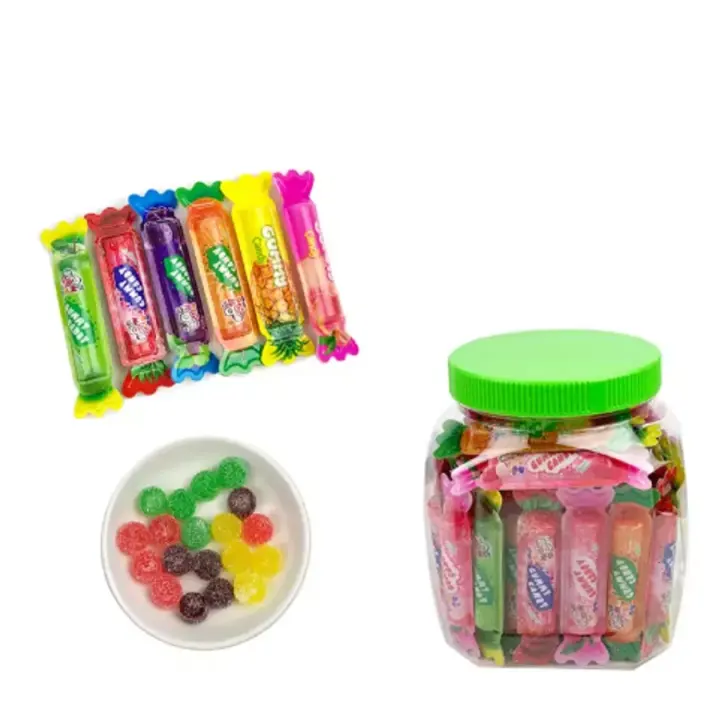
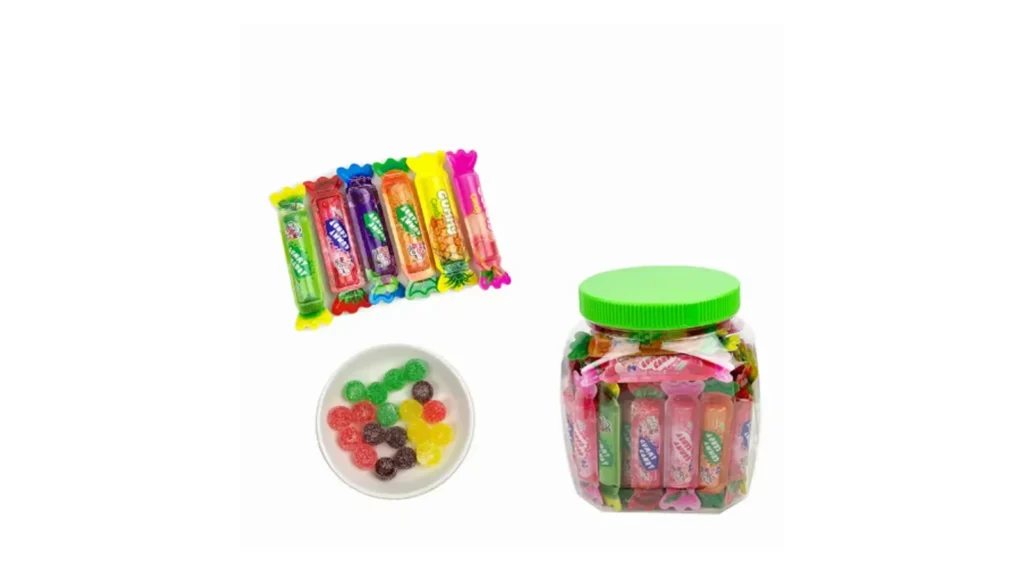
The direct answer is to issue one numbered RFQ baseline and require written approval before substitutions. KidStar SKU YMX-129 Assorted Gummy Candy gives buyers a concrete example: 10 g units, 50 pieces per jar, and 12 jars per carton. The reference image shows several wrapped colors and loose gummy pieces, but it does not establish the final flavor ratio or allow silent replacement of one variant.
Build one RFQ baseline before requesting price
KidStar’s buyer follow-up work repeatedly finds two connected problems: quotations that stop moving after the first reply and requirements that remain incomplete. A change-control sheet addresses both by showing the buyer and supplier what is fixed, what is still open, and which version the current price answers.
Start with a simple baseline:
| Field | YMX-129 working reference | Status the buyer should record |
|---|---|---|
| Product | SKU YMX-129 Assorted Gummy Candy | Fixed unless a replacement is approved |
| Unit | 10 g | Confirm against current specification and sample |
| Jar | 50 pieces | Define whether the jar is the resale unit |
| Carton | 12 jars | Confirm current carton data before order approval |
| Assortment | Several variants appear in the reference | Open until the supplier states the current packing rule |
| Destination | Buyer input required | Fixed before label and document review |
| Quantity and trade term | Buyer input required | Fixed before final comparison |
Attach the live YMX-129 product page to the baseline. A screenshot or chat image may help identify the item, but a dated link, specification, sample reference, and quote number are easier to audit.
Define which changes need a new quote version
Not every message requires a complete restart. The goal is to distinguish an explanation from a commercial scope change.
Use these rules:
- Clarification only: the supplier explains an existing field without changing product, pack, quantity, or delivery basis. Add the note to the same version.
- Buyer-controlled change: the buyer changes flavor mix, net content, jar count, artwork, quantity, destination, or trade term. Issue a revision and request an updated offer.
- Supplier-proposed substitution: the supplier proposes another SKU, formula, assortment, package, or component. Hold it until the buyer reviews the reason, impact, sample need, and new files.
- Correction: a documented error is fixed. Mark the corrected field and preserve the previous version so the comparison remains traceable.
The updated file should never overwrite the old one without a revision note. A short label such as RFQ-129-R1 is enough if both sides use it consistently.
Treat assortment replacement as a real product decision
GS1’s GTIN Management Standard says that a change, addition, or replacement of one or more trade items in a predefined assortment requires a new GTIN, including at higher packaging levels. It also says changes to declared net content and pack or case quantity can trigger identification changes at the relevant hierarchy levels. Local requirements may be stricter.
This does not mean every random mixed jar automatically follows the predefined-assortment rule, and it is not a destination-market legal opinion. It means a buyer should involve the brand owner and responsible barcode or regulatory team when the marketed assortment, declared count, or pack hierarchy changes. The supplier should not quietly swap a color, flavor, or count and assume the old sell-in data remains valid.
For YMX-129, ask these questions before approving an assortment change:
1. Is the mix sold as a fixed, predefined assortment or as a non-fixed assortment under the current product file? 2. Which flavors, colors, shapes, and counts are included in the quoted version? 3. Does the proposed replacement alter declared ingredients, allergens, net content, artwork, or consumer expectations? 4. Does the jar, case, or pallet identification need to change under the brand owner’s GS1 process? 5. Which new sample, image, label, and carton files replace the previous evidence?
Use a change-impact table before repricing
| Requested change | Commercial question | Evidence to refresh | Decision |
|---|---|---|---|
| Flavor or color mix | Does the assortment, production basis, or market role change? | Assortment rule, sample, ingredient and label files | Approve, reject, or keep open |
| Unit weight or declared count | Is the sellable item still the same version? | Specification, label, GTIN review, quote | Reissue the controlled baseline |
| Jar or carton count | Does handling, freight, or wholesale allocation change? | Pack hierarchy, dimensions, weights, carton marks | Reprice on the new hierarchy |
| Artwork or brand scope | Who owns files and which version will be printed? | Dieline, artwork proof, barcode data, approval record | Keep separate from stock-pack quote |
| Quantity or delivery basis | Is the supplier pricing the same scale and route? | Quantity, Incoterm, named place, timing | Update commercial fields only |
| SKU replacement | Is it still the product the buyer selected? | New product link, complete sample and documents | Treat as a new candidate, not a silent edit |
The table keeps the reason for a price revision visible. It also helps the buyer compare only the fields that actually changed.
Keep samples, artwork, and quotes on one version
A common failure is approving the candy from one sample, the jar from another photograph, the artwork from a later email, and the price from an older quote. The final order then has no single approved reference.
Use the confectionery samples route to identify the exact received version. Store the sample date, photos, specification, assortment note, label file, and quote reference together. If packaging customization starts later, create a new revision instead of rewriting the stock-pack baseline.
Before final internal approval, check that:
- the SKU and product link match the quotation
- the sample and specification share the same revision
- the assortment rule is written, not inferred from colors in a photo
- the 10 g unit, 50-piece jar, and 12-jar carton are still current for YMX-129
- the quantity, Incoterm, named place, and quote validity are visible
- every open document or destination question has an owner
- no substitution is accepted only through an informal chat message
Send one controlled revision to the supplier
Keep the email or RFQ message short. State the old version, the new version, the fields changed, the fields unchanged, and the response required. Ask the supplier to return a revised quote with assumptions and exclusions rather than sending only a new total.
The guide to turning a candy catalog into one RFQ helps build the first baseline. Change control begins after that baseline exists and keeps later supplier replies comparable.
Turn YMX-129 into a traceable RFQ
YMX-129 becomes comparison-ready when the exact 10 g unit, 50-piece jar, 12-jar carton, assortment rule, sample version, destination, quantity, and delivery basis all share one revision number. The process does not prevent changes; it prevents unrecorded changes from hiding inside the next price.
Send KidStar a controlled RFQ brief with the current revision, destination, exact SKU, assortment rule, resale unit, quantity direction, trade term, sample status, and list of approved changes. The team can then respond to the right version without another round of guesswork.